
How to upload files to your Client Portal
Uploading a file to your Client Portal
Once the attorney or the legal assistant have sent you the Client Portal invitation, you Will be able to start uploading files.
To do this, simply start by accessing your Client Portal.
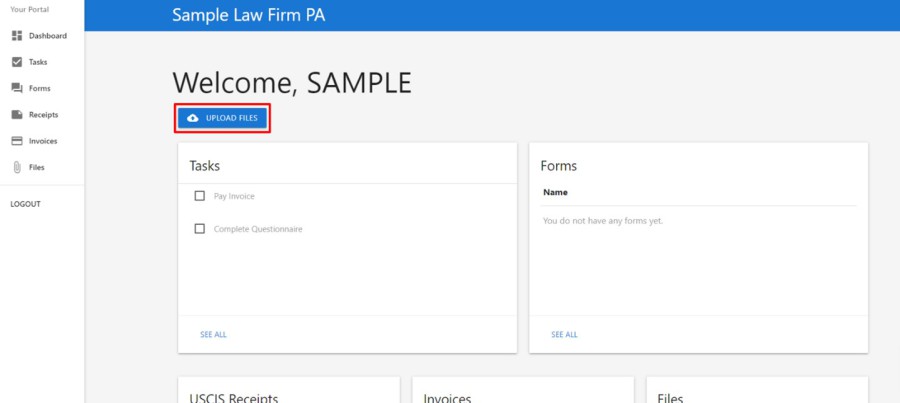
Once inside your Portal, click on the “Upload Files” button.
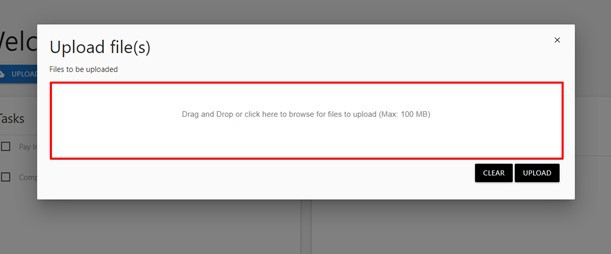
You will then be able to upload files by dragging them into the file upload box, or by clicking inside the box and searching for the file in your computer storage.
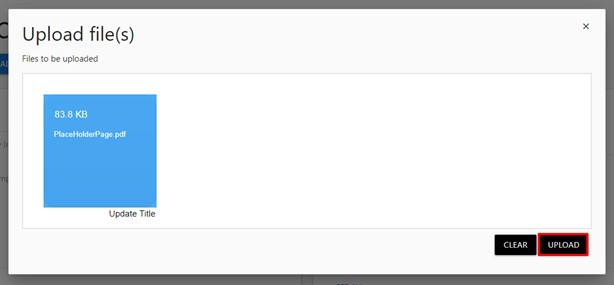
Once you have selected the file you wish to upload, click on the “Upload” button. If you mistakenly selected the wrong file, you may click on the “Clear” button.
 Print
Print 