
Tutorial: How to create your USCIS online account
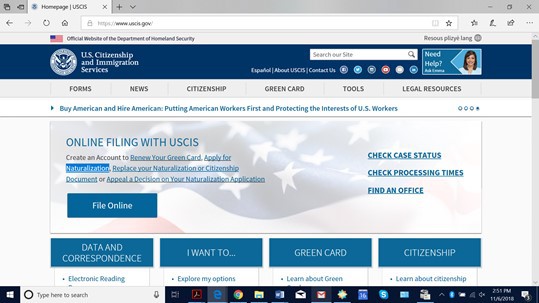
1. Go to USCIS.gov. Select: “File Online” on the left side.
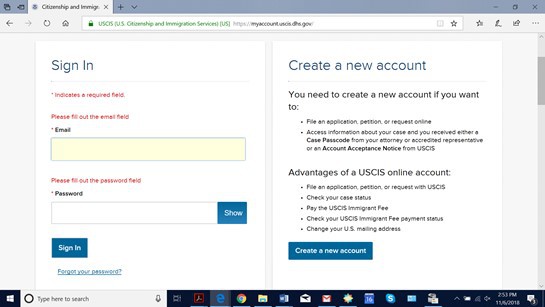
2. Select “Create a New Account.”
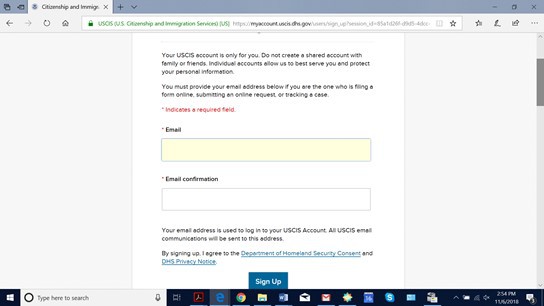
3. Enter your email address and select “Sign Up.”
4. You will receive a confirmation email. Please check your email account. Then select the hyperlink.
To continue creating your USCIS Account, you must confirm your email address. To confirm your email address, please click on the link below, or copy and paste the entire link into your browser.
https://myaccount.uscis.dhs.gov/users/confirmation?confirmation_token=Nxfn-4o-2bDRTZVdFjZV
Please note that this confirmation link expires in 24 hours and may require your immediate attention if you wish to access your online account in the future.
If you need additional assistance, please give us a call or contact the USCIS Contact Center via the web form at https://www.uscis.gov/contactcenter.
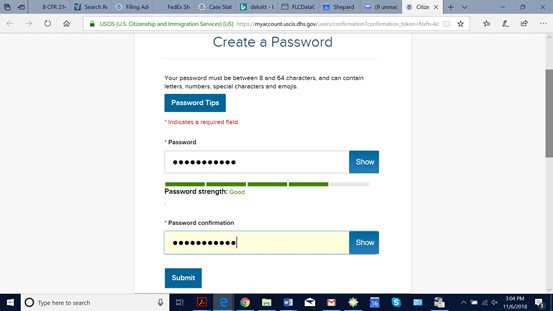
5. Create a password and select submit.
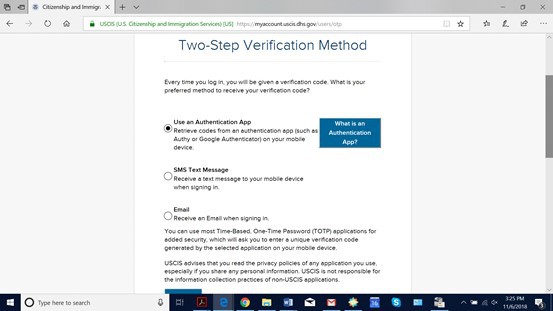
6. Select a Verification Method (I find text to be easiest if you have easy access to your phone) and select submit. Retrieve your access code from your chosen verification method. Then enter that code into next page. Keep your backup code for your records.
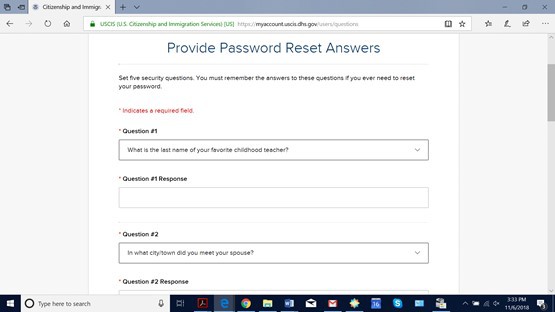
7. Select several password reset questions and answers.
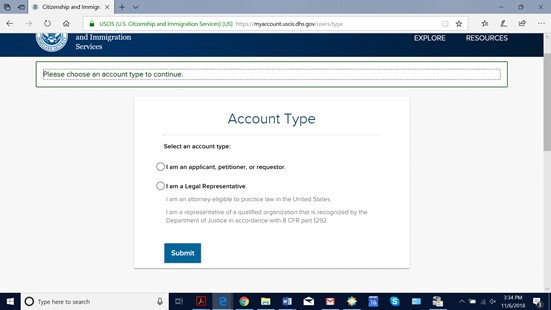
8. Select that you are an applicant or petitioner.
9. Great! Your account is complete!
NEXT STEPS
1. Your attorney will prepare your forms in the attorney USCIS account. Please make sure you give the attorney the same email that you used to create your account. The email links your account with the form the attorney prepares in her account.
2. When the attorney has completed the form in her account, the system will provide a “passcode.” The attorney will send it to you.
3. When you log back into your account, you will be able to select a box called “Enter a Representative Passcode.” Click this box and enter your passcode. This will allow you to review the form the attorney prepared for you.
4. Review the form. You will review the G-28 or Notice of Appearance of Attorney form first. This is what authorizes the attorney to act and receive information from the government on your behalf. If you notice an error, please write it down. At the end of the form, you will be given an option to accept the form or decline the form to allow the representative to make changes. If you need a correction, please decline the form and tell the attorney. The attorney will make the correction and “send” it back to you to review. The attorney will inform you the correction has been made and then you can review the form again in your account to accept the form. YOU DO NOT NEED ANOTHER PASSCODE.
5. Once the G-28 is signed, then you will be able to review the main form the attorney prepared. Same as above, please note any corrections and decline to make changes or accept and sign. You sign by typing your name. Once you sign your name, let our office know.
6. Once you have informed us that you have signed the form, the attorney will be able to pay the filing fee for the form using the credit card or checking account number you previously provided. Once the payment is made, the form is instantly submitted.
7. You can see the filed form, receipt notice, and any case updates online. Please contact the paralegal assigned to your case if you have any questions.
 Print
Print 