
Set Up your Client Portal and start using it
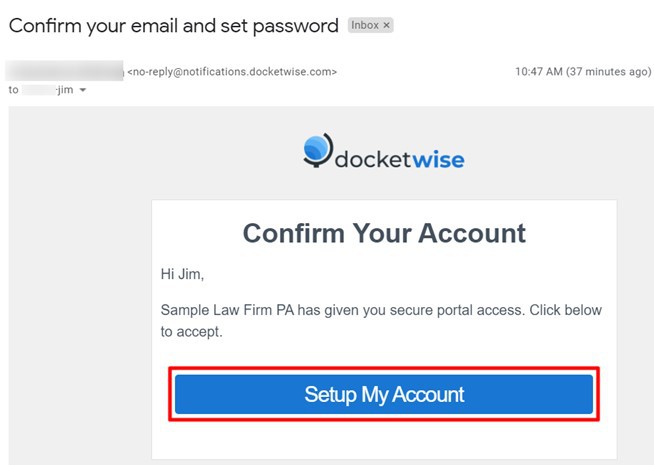
Once you have received the invitation to activate your Client Portal, you will get an email from the account no-reply@docketwise.com.
After opening the email select the option “Setup My Account”.
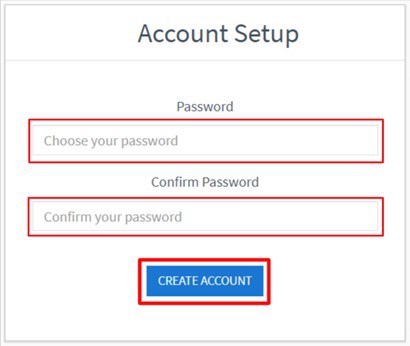
After clicking on the “Setup My Account” button, you will be directed to the “Account Set Up” page.
Access the page and confirm your password, which you Will use to Access your Client Portal in the future, and then click on the “Create Account” button.
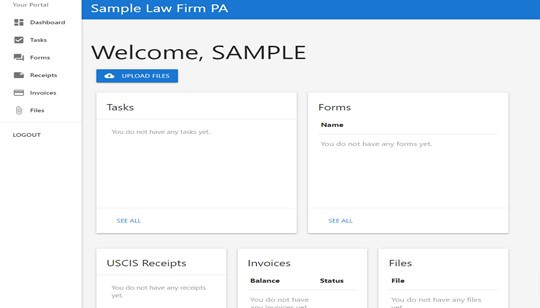
After creating your password, you will be directed to your portal, where you Will be able to Access all the information shared with you by the attorney, such as the Tasks assigned to you, Forms for review and/or complete, Files, Invoices, and your case status with USCIS.
You can see how to upload files to your Client Portal by clicking here.
Accessing your Client Portal
Going back to your Client Portal is very easy!
First, we recommend you navigate to your “client sign-in page”.
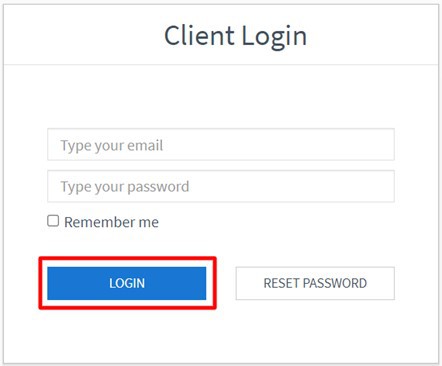
Once there, simply enter your email and password, then click on the “Login” button and you will access your Client Portal.
Resetting your Client Portal password
If you have forgotten your password, you may reset it from the client sign-in page). Simply click on the “Reset Password” button.
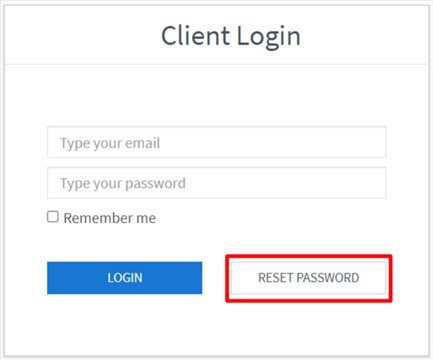
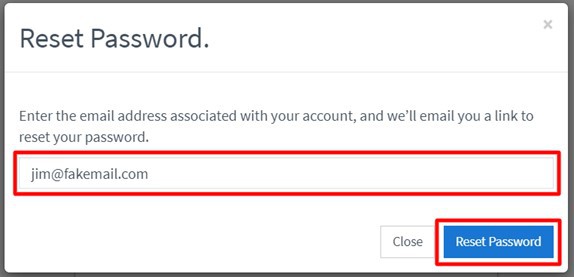
After clicking on the Reset Password button, you Will see a window in which you Will be able to enter the email address associated to your account. Once done, you have to click on the “Reset Password” button.
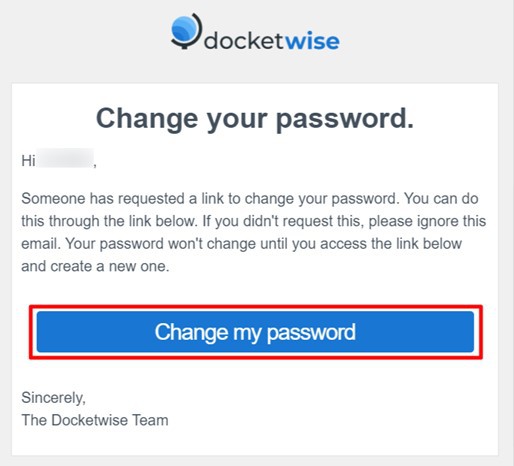
After this is done, you Will get an email with instructions on how to reset your password. Open the email, click on the “Change My Password” button.
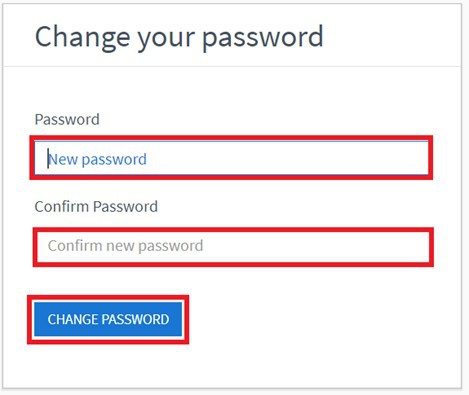
You will then access the page to reset your password. Simply enter and confirm a new password and then click on the “Change Password” button.
 Print
Print 