
Scanning documents with Adobe Scan App
Use the Adobe Scan app to scan various types of documents, capture new images, or use existing images and convert them to digital copies. The Scan app converts images to PDF and saves them to Adobe Document Cloud.
To quickly scan a document in auto-capture mode:
- Open the app and wait for the capture.
- Once the app captures the document, tap on the thumbnail to view and/or edit your scan.
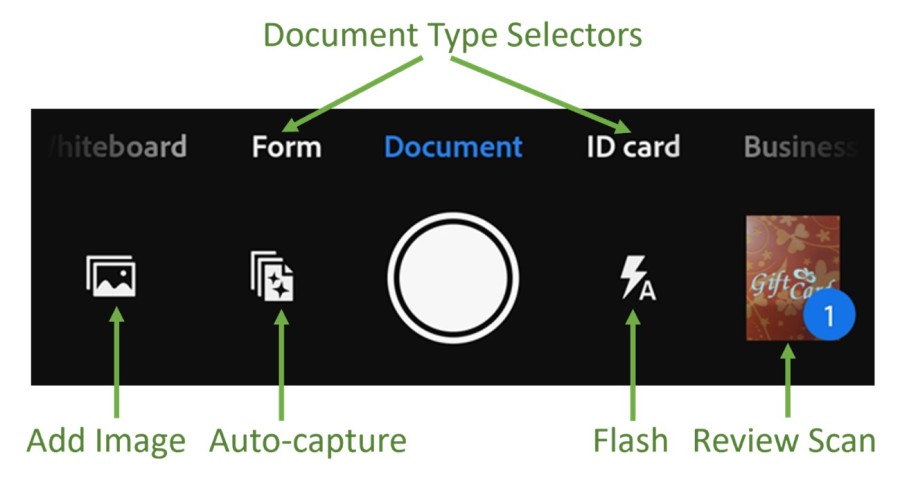
Scan a document
To scan a document from the capture window:
- Open the app and tap the camera icon.
- Select the document type.
- Optionally, tap the flash icon to change flash settings.
- Invoke a scan using one of the following capture modes:
- Auto-capture (default): The app displays the capture screen and detects the document. In auto-capture mode, the app uses live edge boundary detection that displays blue dots to identify document corners.
- Manual-capture: Center the document in window and tap the capture button.
- Follow the on-screen messages to complete the scan workflow:
- Looking for document: The app is looking for the document and trying to detect its boundaries.
- Capturing… hold steady: Edge detection can see the entire document.
- No document found. Capture manually: The app cannot detect the document edges.
The app uses auto crop and image cleaning to improve scan quality. The captured scan appears on the screen.
- On the captured scan screen, tap Adjust and save to modify your scan as desired.
It opens the scan in edit mode where you can modify the scan and save as PDF.
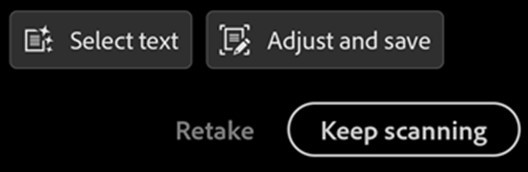
5. Optionally, tap Keep scanning to continue capturing more documents or tap Retake to recapture the document if you are not satisfied with your current capture.
Once you tap Save as PDF, the scan is automatically saved to the Document Cloud.
 Print
Print 